 World Wide Offices

Category: Articles
What To Do if Your Phone Has Been Hacked
TABLE OF CONTENT :
In 2025, more than 16 billion usernames and passwords were found leaked online. Many of these were linked to apps we use every day, like Google, Apple, and Facebook.
If your phone gets hacked, it can lead to serious problems. You could lose money, your private messages might be read, or someone could steal your identity.
In this blog, we’ll guide you step-by-step on what to do if your phone has been hacked.
Phone Hacking: What Can It Cost You?
Phone hacking means someone gets into your smartphone without permission and controls it or steals your information. Most hackers do this to make money by stealing your bank details or to spy on you.
- Losing Money - Hackers can take money from your bank account, steal your credit card details to buy things, or sign you up for expensive services without asking.
- Stealing Your Identity - They can take personal information like your ID number, passwords, or photos to open fake accounts or do bad things pretending to be you.
- Breaking Your Privacy - Spyware can turn on your phone’s camera and microphone without you knowing, track where you are, and read your private messages.
- Emotional and Social Problems - Being hacked can make you feel very stressed. Hackers might pretend to be you and send false messages, hurting your relationships with friends and family.

10 Signs That Your Phone is Hacked
How to know if your phone is hacked?
If you notice any of these on your iPhone or Android, it’s time to check your phone and protect your information.
1. Your Battery Drains Fast
If your phone’s battery starts dying quicker than usual, even when you’re not using it a lot, it might mean a bad app is running in the background, using up power without you knowing.
2. Your Phone Runs slowly or Freezes
When your phone suddenly becomes slow, freezes, or crashes more than normal, it could be because harmful software is running and slowing it down.
3. Your Data Usage Goes Up Suddenly
If your phone is using way more data than before and you haven’t changed how you use it, malware might be sending or receiving data secretly.
4. You Get Lots of Annoying Pop-Ups
Seeing many ads, weird messages, or pop-ups that won’t go away can be a sign that your phone has adware or other harmful software.
5. There Are New Apps You Didn’t Download
If you find apps on your phone that you don’t remember installing, be careful. Hackers can put apps on your phone that look normal but actually spy on you or steal your information.
Don’t open these apps. Look them up online, delete any that seem strange, and scan your phone with a trusted antivirus app.
6. You See Calls or Texts You Didn’t Send
Check your call and message history. If there are calls or texts you didn’t make or send, someone else might be using your phone without permission, which can cost you money.
7. You Notice Strange Activity in Your Online Accounts
If you get emails about logins you didn’t make, password changes, or new accounts you didn’t create, hackers might be trying to get into your accounts.
8. You Receive Security Codes You Didn’t Ask For
Getting security codes by text when you’re not trying to log in anywhere is a strong sign someone else is trying to hack your accounts.
9. Your Phone Gets Hot Without Reason
Phones can get warm when you use them a lot, but if they get hot even when you’re not using them, there might be harmful software running in the background.
10. Your Phone Loses Charge Even When You’re Not Using It
If your battery drops even when your phone is just sitting there, it could be because something is running secretly on your phone.
How Do Phones Get Hacked?
Here are some of the most common ways phones get hacked today:
SIM Swap Attacks
Hackers can call your mobile company and trick them into moving your phone number to a SIM card they own. Once that happens, they can get your texts and calls - including security codes for your bank or email. That means they can break into your accounts even without touching your phone.
Spy Apps
Some people install secret apps on your phone to watch what you do. These apps are called spyware. They can read your messages, track your location, listen to your calls, or even turn on your camera.
Someone only needs a few minutes with your phone to install them. That’s why you should never leave your phone unlocked or with someone you don’t trust.
USB Cable Hacks (Juice Jacking)
Your charger can be used to hack your phone! If you plug your phone into a computer or public charger that has a virus, it can pass harmful software to your phone through the cable. Even if you're just charging and not sharing files, your phone could still get infected.
Public Wi-Fi & Charging Stations
Using free Wi-Fi or public charging spots might seem like a good idea, but they can be risky. Hackers sometimes create fake Wi-Fi networks with names like “Free WiFi.” Once you connect, they can watch what you're doing or even install malware. Public charging stations can also be used to send viruses to your phone through the charging cable.
Phishing Scams
Phishing is when someone sends fake messages, emails, or links that look real - but are meant to trick you. If you click the link, it might install a virus or take you to a fake login page that steals your password. These scams can also happen over phone calls where the hacker pretends to be from your bank or phone company.
Guessing Your Password (Brute Force)
Some hackers use software to try many different passwords until they guess the right one. If your password is easy - like “123456” or your name - it won’t take long. That’s why you should always use a strong, hard-to-guess password and turn on a two-step login if you can.
Man-in-the-Middle (MITM) Attacks
This happens when a hacker secretly watches the data going between your phone and a website - like when you’re using public Wi-Fi. They can see your login details, personal messages, or anything else you’re doing online. Using a VPN or secure websites (look for “https”) can help protect you.
Software Hacks
Some skilled hackers look for weaknesses in phone systems or apps. When they find one, they write a special code to break in and take control of the phone. These types of hacks are harder to pull off but can be very serious. Most people never notice anything has happened.
Physical Access
If someone gets your phone and it’s not locked, they can read your texts, open your apps, and see your personal files. Even if your phone is locked, some tools can still break in - especially if your phone is old or not updated.
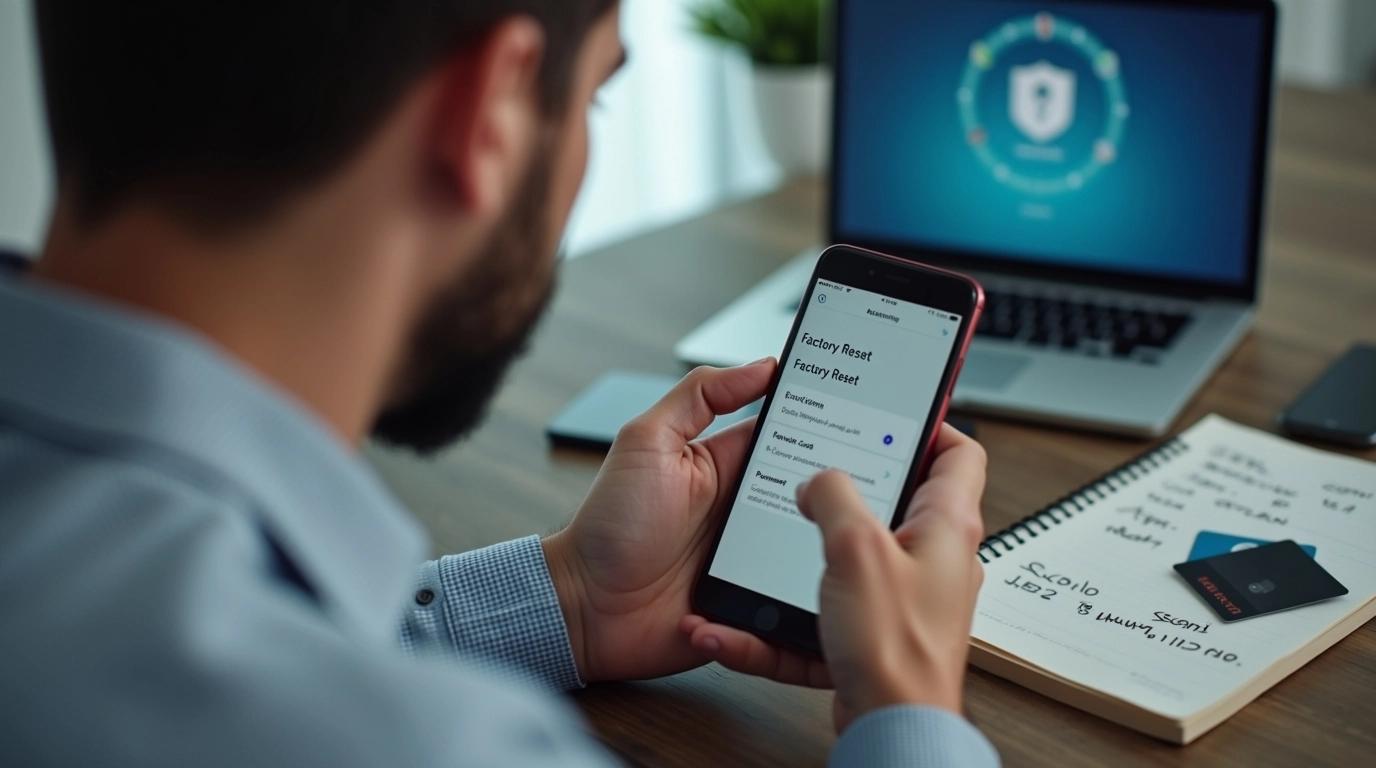
What To Do If Your Phone Is Hacked
If you think your phone has been hacked, don’t ignore it. The quicker you act, the better chance you have to stop the hacker and defend your data.
Here’s what you need to do right away:
Step 1 # Try to Remove the Hacker
Start by running antivirus software. Sometimes, it can find and remove the threat. But if the hacker is still in your phone, the best way to kick them out is by doing a factory reset. This wipes your phone and removes any hidden malware or spying tools.
How to Factory Reset iPhone
- Open the Settings app.
- Tap General.
- Scroll down and choose Transfer or Reset iPhone.
- Tap Erase All Content and Settings.
- Tap Continue and enter your iCloud password.
This will delete everything on your iPhone. So before doing it, go to your Apple ID in Settings, tap iCloud, and choose what to back up. That way, you can get your data back later.
How to Factory Reset Android
- Open the Settings app.
- Tap About phone.
- Scroll down and choose Factory reset.
- Tap Erase all data and enter your PIN to confirm.
Just like on an iPhone, make sure to back up your files first. You can use Google Backup, which is usually found under the Google section in the Settings app.
Step 2 # Retrieve Deleted Text Messages
After doing a factory reset, you can still get back your messages if you’ve backed them up before.
- On iPhone: During setup, sign in with your iCloud account. When asked, choose Restore from iCloud Backup. Pick the backup that has your text messages.
- On Android: Start the setup process and follow the steps. When you reach the screen that says “Copy apps and data,” tap Can’t use the old device. Sign in with your Google account, then choose what you want to bring back.
Tip: If your Android phone looks different from the steps above, don’t worry. Phone brands like Samsung, Xiaomi, and others use different menus. Use the search bar in the Settings app to find what you need.
Step 3 # Protect Yourself From More Damage
Getting the hacker out is not enough. You also need to make sure they didn’t steal your info or infect your other devices.
Change All Your Passwords Immediately
Right after resetting your phone, change all your passwords. Start with your iCloud or Google account. Then, change passwords for your email, banking apps, and social media. If the hacker got into your phone, they might know your login details.
Use strong passwords, and don’t repeat the same one on different accounts. A password manager can help create and save strong passwords for you.
Install Antivirus Software on All Devices
The virus or malware that infected your phone could have also reached your computer, tablet, or other phones through Wi-Fi or cloud services. To stay safe, install antivirus software on all your devices.
Contact Your Bank or Payment Services
If you use Apple Pay, Google Pay, or other mobile payment apps, let your bank know your phone was hacked. Ask them to freeze your credit and debit cards and check for any fake charges. It’s better to be safe than sorry when it comes to your money.
How To Protect Your Phone From Being Hacked
Your phone knows more about you than most people do - from your bank details and personal photos to your exact location. That’s why keeping it safe from hackers is so important.
You don’t need to be a tech expert to do it. A few smart changes in your settings can protect your phone and your private life.
Download Antivirus Software (for Android)
If you use an Android phone, installing antivirus software is one of the easiest ways to protect it. It checks for malware and viruses and removes any that could harm your device. iPhones don’t need antivirus because of Apple’s built-in security.
Use a VPN on Public Wi-Fi
Public Wi-Fi is great for saving data, but it’s also risky. Hackers often watch these networks to steal personal information. A VPN (Virtual Private Network) makes public Wi-Fi much safer by hiding your IP address and encrypting your browsing activity.
You can find VPN apps for both Android and iPhone, and some even protect against DDoS attacks.
Don’t Jailbreak or Root Your Phone
Jailbreaking your iPhone or rooting your Android might sound fun - you get more control over your phone. But doing this removes many built-in security features. That makes it much easier for hackers to install malware or steal your data. Even if you want to install apps from other sources, there’s usually a safer way without rooting or jailbreaking.
Avoid Phishing Attempts
Phishing is when someone tries to trick you into clicking on a bad link or sharing your login details. Maybe it’s an email from a weird address or a message asking you to log in somewhere that doesn’t feel right. Don’t click on suspicious links, emails, attachments, or websites. If you’re unsure, it’s always better to skip it.
Use Encryption Whenever You Can
Encryption makes your data unreadable to anyone who tries to steal it. Even if a hacker gets access, they can’t understand the data without the key. Look for apps and websites that offer end-to-end encryption, especially for messaging. The most secure standard is 256-bit AES, which is also used by banks and governments.
Avoid Public USB Charging Ports
Free charging stations are super convenient, especially when your battery’s low. But there’s a hidden danger called juice jacking - hackers can use these ports to steal your data or install malware through the USB connection. Use a wall outlet if possible. If not, carry a data blocker or charge-only adapter to stay safe.
Lock Your Phone With a Password
Always lock your phone with a strong password. Not just a PIN or a pattern - a full password with letters, numbers, and special characters is harder to guess. You can also set up Face ID or fingerprint lock for extra protection.
For iPhone X or newer:
- Settings > Face ID & Passcode > Turn Passcode On
For Android:
-
Settings > Security > Screen Lock > Password
Turn On Two-Factor or Biometric Authentication
Many apps now offer two-factor authentication (2FA) or biometric login. These features add an extra step when logging in - like a code sent to your phone or a fingerprint scan. If a hacker steals your password, they still can’t get in without the second factor.
Disable Voice Assistants on Lock Screen
It might seem helpful to have Siri or Google Assistant ready before unlocking your phone. But this could let others make calls or send messages without your permission. Turn this off in your phone’s settings:
iPhone:
-
Settings > Face ID & Passcode > Turn off Siri
Android:
- Say “Hey Google, open Assistant settings”
- Settings > Personalization > Personal Results > Turn off on Lock Screen
Enable “Find My Phone” Feature
If your phone gets lost or stolen, features like Find My iPhone or Find My Device help you track it down, lock it, or even erase it remotely.
- Settings > Your Name > Find My > Turn on Find My iPhone
- Settings > Security > Find My Device > Turn on
Turn Off Autofill in Browsers
Autofill saves your name, address, and even card details for fast form filling. But if someone else gets your phone, they can use this info too. Turn off autofill for safety.
iPhone (Safari):
-
Settings > Safari > Turn off “AutoFill Passwords”
Android (Chrome):
-
Google App > More > Settings > General > Turn off “Autocomplete With Trending Searches”
Limit App Permissions
Some apps ask for access they don’t really need, like reading your messages or tracking your location. Go to your settings, click on each app, and limit what they can access. Only give permissions that make sense for the app.
Turn Off Location Tracking
Location tracking can be dangerous if it falls into the wrong hands. Hackers could use it to track your real-time movements. Here’s how to disable it:
- Settings > Privacy > Location Services > Turn Off
- Swipe down > Hold “Location” > Advanced > Google Location Accuracy > Turn Off
- On Samsung: Settings > Location > Turn Off
Turn Off Wi-Fi
Your phone might automatically connect to saved Wi-Fi networks - even fake ones that hackers set up. That’s risky. Keep Wi-Fi off when you're not using it.
- Settings > Wi-Fi > Turn Off
- Swipe down > Hold “Wi-Fi” > Turn Off
Keep Software Updated
Updates are annoying, but they fix bugs and patch security holes. If you ignore them, hackers could use those weaknesses to break in. Always update as soon as you can.
- Settings > General > Software Update > Install
- Settings > System > Advanced > System Update
Use Password Manager
You should use different passwords for every account, but how do you remember them all? A password manager stores them securely and even helps you create strong and unique passwords for each site.

Advanced Ways to Keep Hackers Away from Your Phone
It’s important to protect your phone from hackers. Here are some simple and smart steps you can take to keep your phone and information safe:
- Set a SIM Card PIN: Put a PIN on your SIM card so hackers can’t use it in another phone. They’ll need the PIN when the phone restarts.
- Use an eSIM if you can: An eSIM is built into your phone and can’t be taken out. This makes it harder for criminals to do fake SIM swaps.
- Use encrypted DNS: Change your phone settings to use DNS-over-HTTPS (DoH). This hides the websites you visit when you’re on public Wi-Fi so others can’t spy on you.
- Use a physical security key: For your important accounts, use a small device like a YubiKey for two-factor authentication. This makes it almost impossible for hackers to get in without the key.
- Turn off USB debugging and developer mode: If you’re not a developer, keep these features off. They can create openings for malware to get into your phone.
- Turn off unused wireless features: When you’re not using Wi-Fi, Bluetooth, or NFC, switch them off to lower the chance of someone connecting to your phone without permission.
Frequently Asked Questions
What is Phone Hacking?
Phone hacking means someone breaks into your phone or listens to your calls, messages, or data without your permission. This can happen in many ways, such as using special tools to break into your phone, spying on public Wi-Fi, or even stealing your phone and guessing your password. It doesn’t matter if you use an Android or an iPhone- anyone’s phone can be hacked.
Can someone hack my phone?
Yes, it’s possible for someone to hack your phone. Hackers have different tricks to take control of your phone or steal your personal information. This can happen on both iPhones and Android phones. iPhones are often seen as a bit safer because Apple has stronger security rules, but they can still be hacked.
Can someone hack my phone by calling me?
Just answering a phone call won’t put a virus or malware on your phone if it’s modern and updated. The real risk comes when someone on the call tricks you into doing something unsafe, like giving away your personal info or installing an app. This kind of trick is called vishing or voice phishing.
Can someone hack my phone camera?
Yes, someone can hack your phone’s camera and microphone. This is called camfecting. Usually, it happens when bad software called spyware hides inside apps that look real but aren’t. You might have accidentally downloaded one of these apps. You can tell if your camera is hacked if the camera light turns on by itself, you find pictures or videos you didn’t take, or your battery is draining much faster than usual.
Can a phone be hacked when it’s turned off?
When your phone is fully turned off, it’s not connected to any network and most of its parts are not working, so it can’t be hacked through the internet. But some new phones have features that still work even when the phone looks off, like location tracking. Also, very advanced spy software made by governments, like Pegasus, might be able to attack the phone’s system even when it’s turned off.
Can someone hack my phone by text?
Yes, but only if you click a fake link or download something from the message. Hackers send fake texts to trick you. If you open the link, they can steal your info or put a virus on your phone.
How can you tell if your phone has been cloned?
You may stop getting calls or texts, see calls or messages you didn’t make, or notice your battery dying fast. These can be signs someone copied your phone.
What can a hacker do with my phone number?
They can take over your number, get your messages and calls, steal login codes, trick your friends, or get into your accounts.
Need Help Recovering from a Hack?
If you suspect your phone has been hacked or compromised in any way, don’t try to fix it alone. At TechForing, our cybersecurity experts specialize in mobile forensics, identity theft recovery, and threat elimination. We help individuals and businesses recover from cyberattacks and secure their digital footprint.
- Get a professional assessment
- Remove spyware and hidden malware
- Protect your sensitive data from further damage